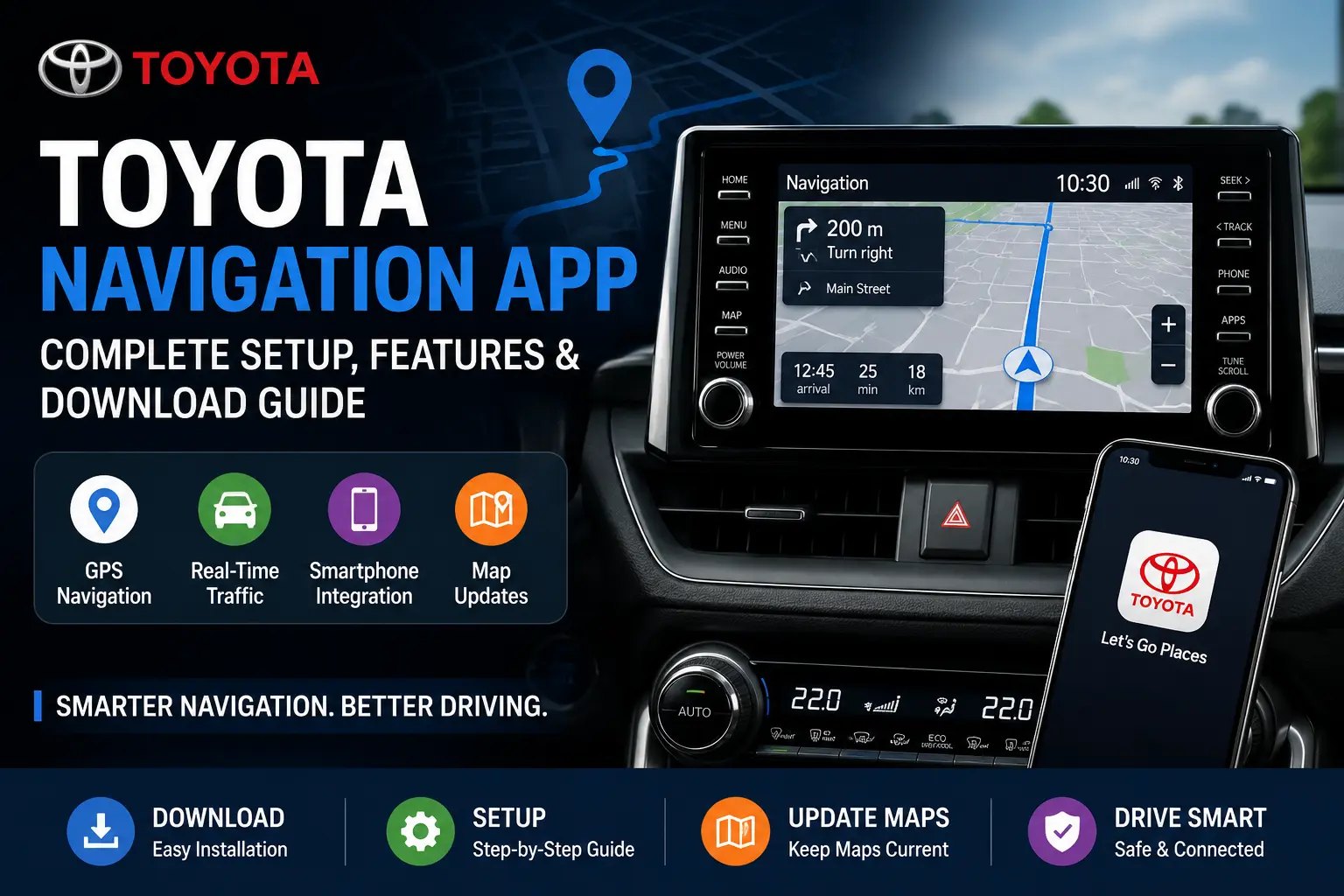
The Toyota Navigation App helps drivers access real-time maps, GPS navigation, traffic updates, and connected driving features directly from their smartphone or Toyota infotainment system. Whether you use Android Auto, Apple CarPlay, or Toyota Connected Services, the app improves route planning, live navigation accuracy, and driving convenience.
In this guide, you will learn how to download the Toyota navigation app, connect it with your vehicle, update maps, and use its best navigation features on Android and iPhone devices.
What Is the Toyota Navigation App?
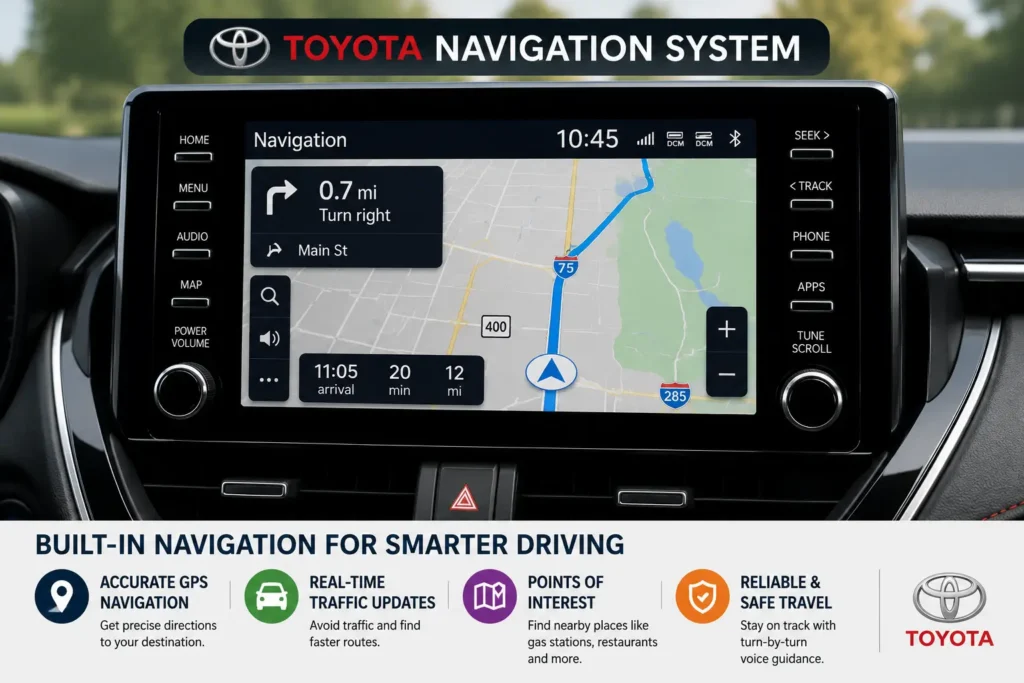
The Toyota Navigation App is a smart navigation solution designed for Toyota vehicles that supports GPS directions, real-time traffic information, voice navigation, and smartphone connectivity. Depending on your Toyota model, the navigation system may work through:
- Toyota App
- Apple CarPlay
- Android Auto
- Toyota Connected Services
- Built-in Toyota navigation system
The app helps drivers find faster routes, nearby fuel stations, restaurants, parking areas, and important destinations with better driving accuracy.
Key Features of the Toyota Navigation App
The Toyota Navigation App includes several smart driving and navigation features that improve the overall driving experience. Modern Toyota infotainment systems support advanced GPS technology, smartphone integration, and real-time route optimization for daily travel.
Real-Time GPS Navigation
Drivers can access live GPS navigation with accurate turn-by-turn directions, faster route suggestions, and estimated arrival times. The system also helps avoid traffic congestion through real-time traffic updates.
Apple CarPlay and Android Auto Support
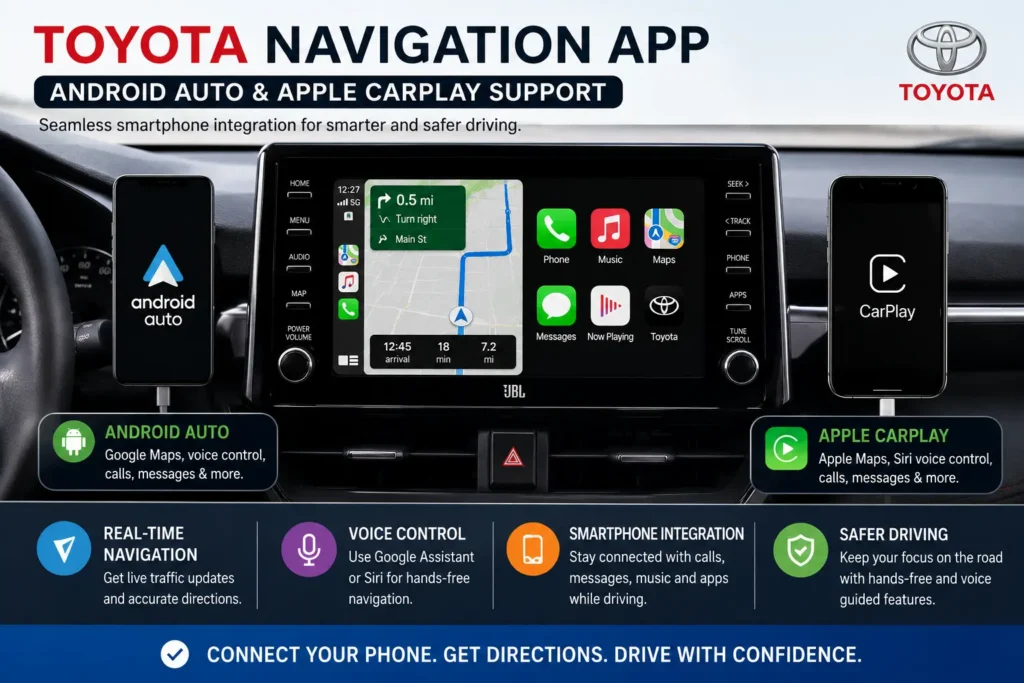
Most modern Toyota vehicles support Apple CarPlay and Android Auto, allowing drivers to connect their smartphones directly to the infotainment display. This integration makes it easier to use Google Maps, Apple Maps, and voice commands safely while driving.
Voice Command Navigation
The Toyota navigation system supports voice control features that allow drivers to search destinations, start navigation, and manage routes without touching the screen.
Nearby Places and POI Search
Users can quickly find:
- Gas stations
- Restaurants
- Parking locations
- Hotels
- Shopping centers
The app improves convenience during long-distance travel and city driving.
How to Download the Toyota Navigation App
Downloading the Toyota Navigation App is simple for both Android and iPhone users. Toyota drivers can access navigation features through the Toyota App, Android Auto, or Apple CarPlay, depending on the vehicle model.
Download on Android Devices
Android users can install the Toyota app from the Google Play Store and connect their smartphone to the Toyota infotainment system using Android Auto.
Steps:
- Open the Google Play Store
- Search for the Toyota App
- Install the application
- Sign in or create a Toyota account
- Connect your phone to your Toyota vehicle
Download on iPhone Devices
iPhone users can download the Toyota app from the Apple App Store and use Apple CarPlay for navigation and map access.
Steps:
- Open the Apple App Store
- Search for the Toyota App
- Install the application
- Log in with your Toyota account
- Connect Apple CarPlay to your vehicle
Compatible Toyota Vehicles
The Toyota Navigation App is supported by many modern Toyota models, including:
- Toyota RAV4
- Toyota Camry
- Toyota Corolla
- Toyota Highlander
- Toyota Tacoma
- Toyota Tundra
How to Update Toyota Navigation Maps
Keeping Toyota navigation maps up to date helps drivers access accurate routes, new roads, traffic changes, and improved navigation performance. Toyota map updates can be completed via the Toyota app, Wi-Fi, or USB, depending on the vehicle model.
Update Through Toyota Connected Services
Some Toyota vehicles support automatic map updates through Toyota Connected Services. Drivers can update navigation data directly from the infotainment system when connected to the internet.
Update Using USB
Older Toyota navigation systems may require a USB update process.
Steps:
- Download the latest Toyota map update
- Save the update files to a USB drive
- Insert the USB into the Toyota vehicle
- Open navigation settings
- Start the map update process
Benefits of Updating Toyota Navigation Maps
Updated Toyota navigation maps provide several benefits, including:
- Better route accuracy
- Faster navigation performance
- New road information
- Improved traffic updates
- Enhanced driving experience
Common Toyota Navigation App Problems and Fixes
Sometimes users may experience issues while using the Toyota Navigation App. Most problems can be fixed with simple troubleshooting steps.
App Not Connecting to the Vehicle
If the Toyota app is not connecting properly:
- Restart your smartphone
- Enable Bluetooth and Wi-Fi
- Update the Toyota app
- Reconnect Android Auto or Apple CarPlay
- Restart the infotainment system
GPS Signal Problems
Weak GPS signals may affect navigation accuracy. To improve GPS performance:
- Move to an open area
- Enable location services
- Update smartphone software
- Check internet connectivity
Navigation Maps Not Updating
If maps are not updating correctly:
- Check your internet connection
- Verify Toyota Connected Services subscription
- Restart the app
- Install the latest software updates
Benefits of Using the Toyota Navigation App
The Toyota Navigation App offers several advantages for drivers who want a smarter and more connected driving experience. Modern Toyota navigation technology improves route planning, driving convenience, and travel efficiency.
Better Driving Convenience
Drivers can quickly access navigation tools, traffic information, and nearby locations directly from the infotainment system without using separate GPS devices.
Real-Time Traffic Updates
The app provides live traffic information that helps drivers avoid road congestion, accidents, and delays by suggesting faster alternative routes.
Improved Smartphone Integration
With Android Auto and Apple CarPlay support, drivers can connect their smartphones and access navigation apps, music, calls, and voice assistants safely while driving.
Easier Long-Distance Travel
The Toyota Navigation App helps users locate fuel stations, restaurants, hotels, parking areas, and charging stations during long road trips.
Final Thoughts
The Toyota Navigation App provides smart GPS navigation, real-time traffic updates, smartphone connectivity, and improved route guidance for modern Toyota vehicles. Drivers can use Android Auto, Apple CarPlay, or Toyota Connected Services to access reliable navigation features during daily driving and long road trips.
Regular map updates and proper app connectivity help improve navigation accuracy, driving safety, and overall user experience. Whether you drive a Toyota RAV4, Camry, Corolla, or Tacoma, the Toyota Navigation App makes travel easier and more convenient.
Frequently Asked Questions
Is the Toyota Navigation App free?
Some Toyota navigation features are available for free, while premium connected services may require a subscription depending on the Toyota model.
Does Toyota support Google Maps?
Yes, Toyota vehicles with Android Auto support Google Maps directly through the infotainment system.
Can I use Apple Maps in Toyota vehicles?
Yes, Apple CarPlay allows iPhone users to access Apple Maps in compatible Toyota vehicles.
How do I update Toyota navigation maps?
Toyota navigation maps can be updated using Toyota Connected Services, Wi-Fi updates, or USB installation methods.
Which Toyota models support the Toyota Navigation App?
Popular supported models include the Toyota RAV4, Camry, Corolla, Highlander, Tacoma, and Tundra.